DFMA: SHOULD COSTING
 DFMA: PRODUCT SIMPLIFICATION



You do not need a finished CAD model to estimate manufacturing cost. Material class, likely process, approximate size, volume, and functional requirements are enough to run should-cost analysis while the design is still flexible. If your cost process starts after CAD, you are auditing decisions instead of shaping them.
Most teams find out what a product should cost after the design is already taking shape. By then, 70% to 80% of the manufacturing cost is already committed. The remaining "cost reduction" effort is usually damage control.
That is why the question matters so much early in development. Can I estimate a part or product manufacturing cost without a CAD model? Yes. You can. And if you wait for a polished model before you do the math, you are waiting too long.
This is where a lot of teams get stuck. They assume cost estimation with no 3D model is not possible because most costing tools are built to read geometry after the design is detailed. That is backward. The biggest cost decisions happen before the model is finished, not after.
If your cost process starts with CAD, you are reviewing decisions that already happened. You are not shaping them.
That is exactly why should-cost analysis belongs earlier in the process. With the right inputs and the right method, you can run cost analysis before CAD model completion and get useful answers while the design is still flexible.
Why the CAD-first costing approach breaks down
Most teams do not have a supplier cost problem. They have a timing problem.
They wait until detailed design to ask what the product should cost. At that point, material choices are already leaning one way. The likely manufacturing process is already implied. The part count is taking shape. Assembly complexity is creeping in. And once that logic is embedded in the design, changing it gets expensive fast.
Late-stage redesigns burn engineering hours, delay launches, and create avoidable friction with suppliers and customers. Everyone feels busy, but the real issue is simple. Cost was treated as a check at the end instead of a design input at the beginning.
That is why the standard "build CAD, then review cost" workflow misses so much opportunity. It makes the team feel precise while locking them into decisions they should have challenged earlier.
Cost is mostly set before CAD is complete. If you wait for a finished model, you are not estimating early. You are auditing late.
Why should-cost analysis without CAD is possible
Many cost tools are built around geometry. They import a 3D model, extract features, and then estimate cost from the part that already exists. If that is the only workflow you know, it is easy to assume there is nothing to analyze until the CAD is done.
But experienced engineers know that geometry is only one input. Early in development, it is often not even the most important one.
The biggest cost drivers can usually be defined well before the model exists. The questions are straightforward:
- What material class is this likely to use?
- What manufacturing process makes sense for that material and expected volume?
- How large is the part, roughly?
- What functional requirements will drive cost, such as tolerances or surface finish?
- What production volume are you planning around?
If you can answer those questions, you can do should cost analysis without CAD. You are not guessing. You are evaluating a manufacturing path using the factors that actually drive cost.
That is the core of design for manufacturing and DFMA. It forces cost into the conversation while the design is still easy to influence.
What you need for cost estimation with no 3D model
You do not need exact geometry. You need a defined concept.
A rough sketch, a concept layout, a size estimate, and a clear understanding of what the product has to do are often enough to start. That is what makes cost estimation no 3D model practical for early product work.
Material category
You do not need the exact alloy or resin on day one. A general class such as aluminum, steel, composite, or plastic is enough to start narrowing process options and cost structure.
Likely manufacturing process
This is one of the biggest cost levers in the entire design. A machined aluminum housing and an injection molded plastic housing may perform the same function, but they do not belong to the same cost world.
Approximate size and geometry
You do not need fully dimensioned CAD. "Palm-sized" or "about 200 mm x 100 mm x 50 mm" is enough to rule processes in or out and start thinking realistically about tooling and cycle time.
Production volume
Volume changes everything. A part built at 500 units per year and the same part built at 500,000 units per year can justify completely different manufacturing methods and tooling decisions.
Functional requirements
Tolerances, surface finish, assembly interfaces, and critical performance requirements all push cost in specific directions. A cosmetic cover and a critical mating component should not be costed the same way.
With those five inputs, teams can perform cost analysis before CAD model development and get a result that is grounded enough to guide decisions.
How DFMA software handles cost analysis before CAD model completion
The point of should-cost analysis is simple. It answers the question, what should this part cost to make given the way it will likely be manufactured?
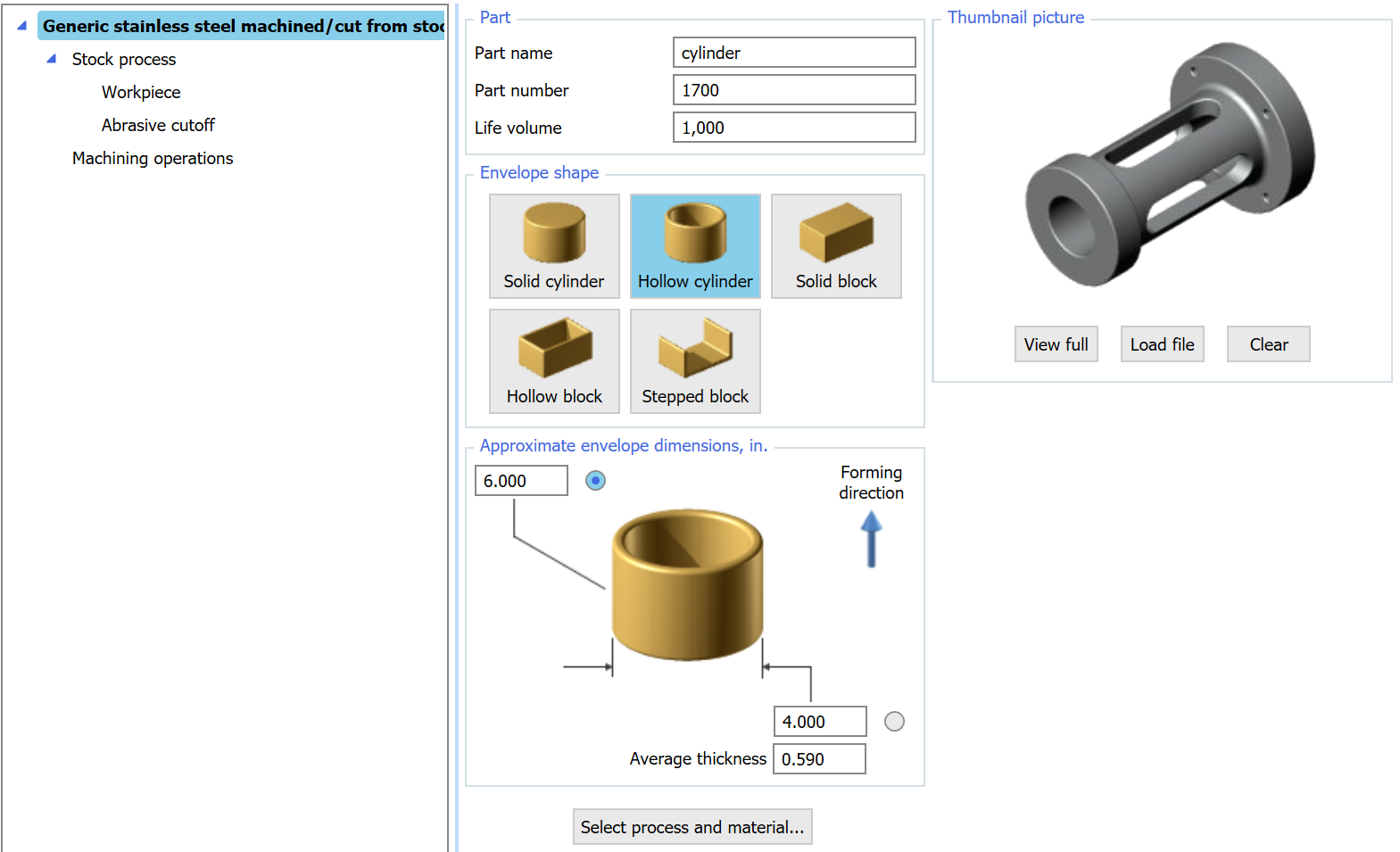
That answer does not come from geometry alone. It comes from understanding manufacturing sequences, tooling assumptions, labor content, overhead, yield, and volume effects. DFMA software models those realities directly.
Instead of waiting for a CAD file and backing into cost after the fact, DFMA software lets you build the likely manufacturing path from the inputs you already know. That makes cost analysis before CAD model completion useful for concept reviews, target costing, supplier conversations, and design tradeoff decisions.
It also changes the quality of the discussion. Instead of arguing over a quote, the team can ask better questions. Is the process wrong for the volume? Is the material driving unnecessary cost? Is the concept asking for tolerance where it is not needed? Are you designing in part count that should not exist in the first place?
The Dynamic Cost Agent inside DFMA software makes this point concrete. It analyzes a machining cost model and identifies which inputs are actually driving the result. When you turn it on, the inputs that do not meaningfully affect cost disappear from the screen. What is left are the factors that matter: the basic shape classification, a handful of dominant features, and the process and material selection. The detailed geometry that a finished CAD model would provide is often not what is driving the number.
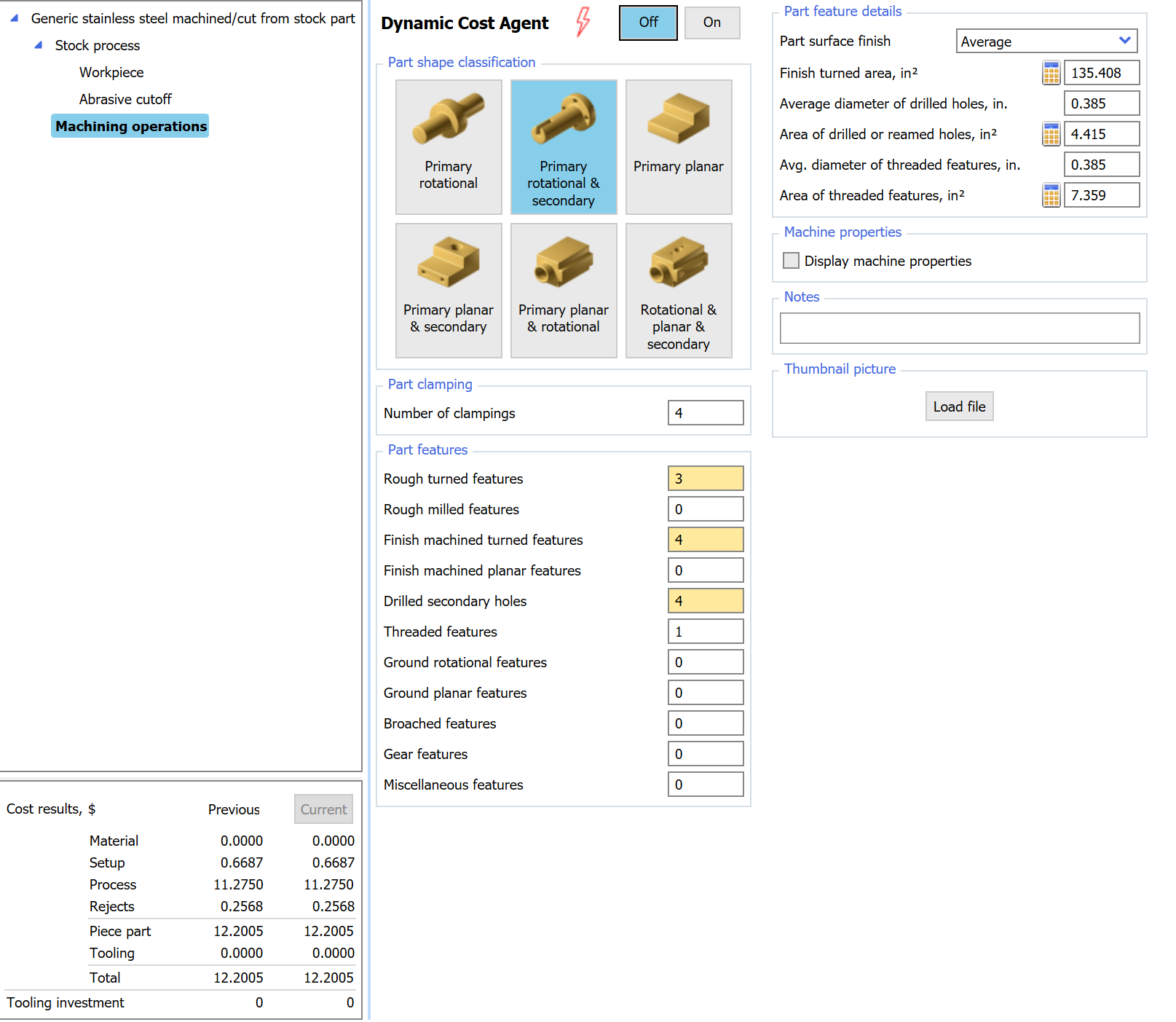
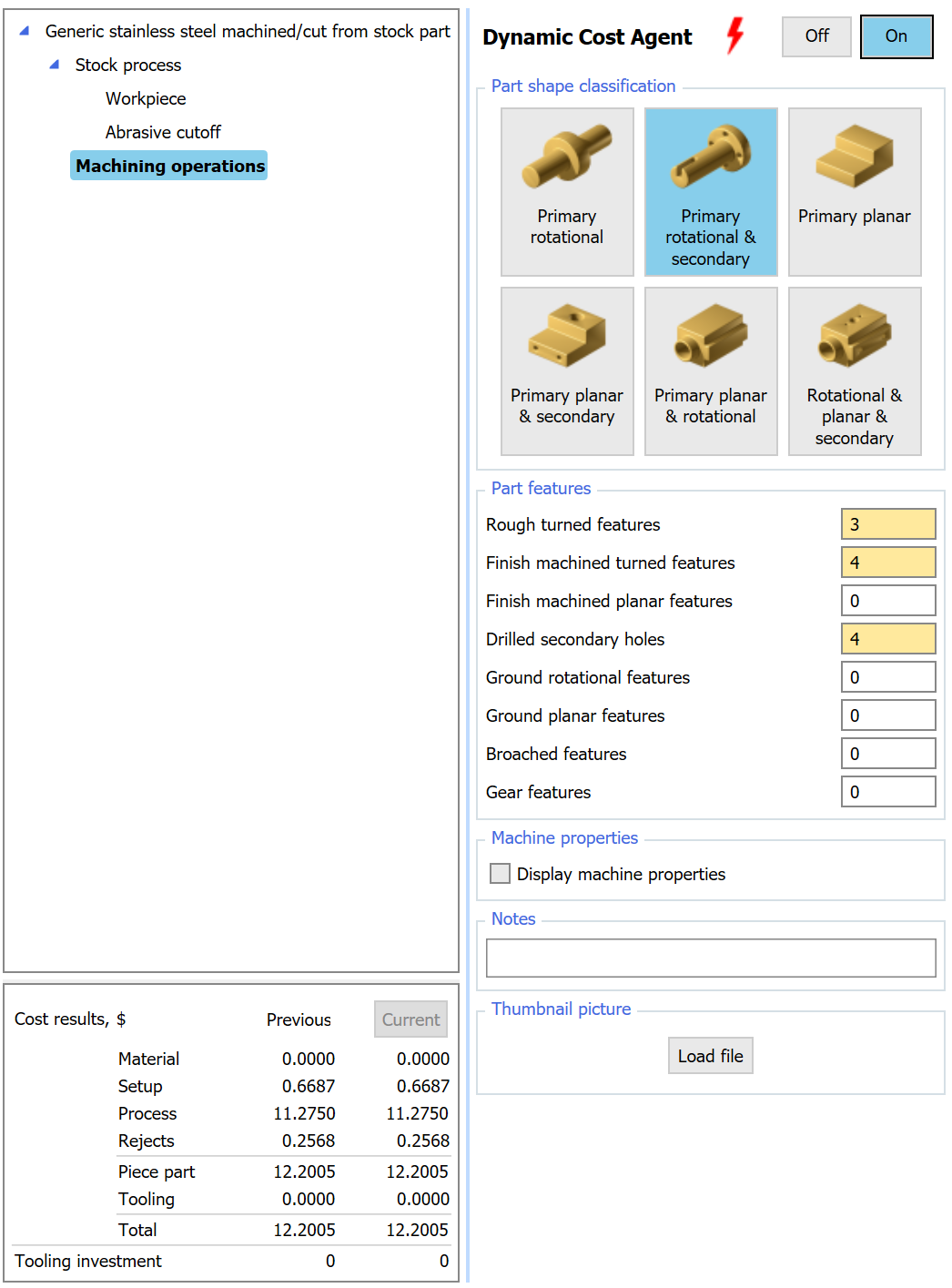
Left: every machining feature input visible. Right: with the Dynamic Cost Agent on, only the inputs that drive cost remain. The result is the same $12.20 piece part cost. Most of the detail you would extract from a finished CAD model is not moving the number.
What early costing lets you do that late costing does not
Early costing is not just about getting a number sooner. It changes the kind of decisions the team can make.
When you do cost analysis before CAD model development, you can compare process paths while the design is still fluid. You can decide whether the concept belongs in sheet metal, die casting, machining, molding, or something else before anyone has invested time modeling the wrong answer in detail.
You can also challenge the architecture itself. Teams often think they need a better quote when what they actually need is fewer parts, fewer fasteners, less assembly handling, and less design complexity. That is a design problem, not a purchasing problem.
And once supplier quotes do show up, you have context. You are no longer comparing prices in a vacuum. You are comparing them to a should-cost expectation based on the product's likely manufacturing logic. That is a much stronger negotiating position.
The mistake most teams make
The common mistake is treating CAD as the starting line for cost. It is not. It is just one representation of decisions that already started accumulating earlier.
By the time the team has a polished model, they often feel committed. The design looks real. People have spent time on it. The bias shifts from "What is the best concept?" to "How do we avoid changing what we already built?"
That is exactly why cost work belongs earlier. The highest-value cost question in development is not "What does this finished design cost?" It is "What is the cheapest way to deliver the function before we lock ourselves into the wrong design?"
Three supplier quotes on the same flawed concept do not reveal what the product should cost. They only tell you how three suppliers priced the same mistake.
Estimate cost earlier, while you can still change it
If you are asking, "Can I estimate a part or product manufacturing cost without a CAD model," the better question is why you would wait.
You already know enough earlier than you think. Material class. Process direction. Approximate size. Volume. Functional requirements. That is enough to start. And that is usually enough to prevent bad cost decisions from hardening into the design.
If your team is still treating cost as a late-stage review step, start with one product. Run the numbers on the concept before the CAD is finished. Compare two process options. Challenge the part architecture. See how different the conversation becomes when cost is part of design instead of a reaction to it.
Learn more about should-cost analysis, explore our approach to design for manufacturing, or talk with our team about how DFMA software can help you make cost decisions earlier.